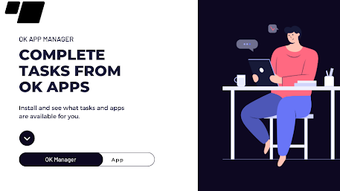

Download OK Manager Apps – Finance, Android, Free, Tool, Utility
Overview
OK Manager Apps is a free Android application designed to assist users in managing personal finances. Positioned within the 'Finance' category, the app aims to provide a straightforward solution for tracking expenses, managing budgets, and organizing financial data. It is intended for individuals seeking a lightweight, accessible tool to monitor daily financial activities without the complexity of more advanced financial platforms. The app is developed by Ask 2 Apps and is compatible with Android 13.0 and above, indicating a focus on modern mobile devices.
Target users include budget-conscious consumers, students, and casual users who prefer simplicity over extensive features. The app’s minimalistic approach may appeal to those who want to avoid cluttered interfaces and prefer a no-frills experience. While it does not offer advanced financial analytics or investment tracking, it serves as a basic utility for recording income and expenses. Real-world usage scenarios include tracking daily spending, setting simple monthly budgets, and maintaining a clear overview of personal financial habits.
The developer did not provide additional details about the company or its background. As of now, the app has been downloaded 100 times and ranks #440 in the Finance category on Softonic. The current version is 2, and it is available exclusively in English. The file size is 3.85 MB, suggesting a lightweight footprint suitable for devices with limited storage.
Key Features & Capabilities
- Expense Tracking – Allows users to log daily spending with basic categories such as food, transportation, and utilities.
- Budget Management – Enables users to set monthly budget limits and monitor progress toward those goals.
- Simple Data Entry – Features a streamlined interface for quick input of financial transactions.
- English Language Support – The app is available only in English, ensuring accessibility for users in English-speaking regions.
- Lightweight Design – With a file size of 3.85 MB, the app is optimized for devices with limited storage and processing power.
Each feature is designed to support basic financial organization. For example, users can record a grocery purchase by selecting a category and entering the amount, which is then reflected in their monthly budget. The budget tracking function helps users stay within predefined limits, promoting financial discipline. The minimal interface reduces the learning curve, making it suitable for first-time users or those unfamiliar with financial apps.
While advanced features like automatic transaction syncing, multi-currency support, or cloud backup are not mentioned, the app focuses on core functionality. This makes it ideal for users who prioritize ease of use and do not require integration with banking services. The absence of such features also contributes to its lightweight nature and reduced data usage.
User Interface, Workflow & Performance
The user interface of OK Manager Apps appears to be designed with simplicity in mind. The layout likely follows a clean, card-based or list-style structure, allowing users to navigate between features such as expenses, budgets, and settings with minimal taps. Navigation is expected to be intuitive, with clearly labeled buttons and icons, reducing the need for onboarding tutorials.
Workflow efficiency is enhanced by the app’s streamlined data entry process. Users can log transactions in a few steps, with pre-defined categories to speed up input. The app’s performance is expected to be smooth on Android 13.0 and above, given its small file size and lack of resource-intensive features. However, exact performance details were not specified.
Stability is likely maintained through regular updates, though no information about update frequency or crash reports was provided. The developer did not specify resource usage details, so CPU and RAM behavior cannot be confirmed. General software behavior patterns suggest that the app should run efficiently without significant battery drain or background activity.
Compatibility & System Requirements
OK Manager Apps is designed to run on Android 13.0 and above, ensuring compatibility with current and recent Android devices. This minimum requirement indicates that the app leverages modern system APIs and may not support older Android versions such as 9.0 or earlier.
The installation size is 3.85 MB, which is relatively small and suitable for devices with limited storage space. The app is available exclusively in English, which may limit accessibility for non-English speakers. No hardware-specific requirements were listed, such as RAM or processor specifications.
Exact system requirements were not listed. Compatibility information was partially provided, focusing only on the OS version and language. Users should ensure their device meets the Android 13.0 requirement and has sufficient storage to install the app.
Pros and Cons
Pros
- Free to download and use with no hidden costs.
- Lightweight design with a small file size of 3.85 MB.
- Simple, intuitive interface suitable for beginners.
- Compatible with Android 13.0 and above.
- Available only in English, ensuring consistent language support.
Cons
- Limited to a single language (English), which may exclude non-English users.
- No mention of cloud backup or data syncing across devices.
- Missing advanced features like investment tracking or automatic transaction import.
- Performance and resource usage details were not provided.
- Only 100 downloads reported, indicating limited user adoption.
FAQ Section
Is OK Manager Apps free to use?
Yes, the app is completely free to download and use, with no in-app purchases or subscription fees.
What Android versions does OK Manager Apps support?
The app is compatible with Android 13.0 and above. It may not function on older Android versions.
Can I use OK Manager Apps offline?
Yes, the app does not require an internet connection to record expenses or manage budgets.
Is my financial data secure in OK Manager Apps?
The app does not provide specific security details. However, since it operates offline and does not transmit data, user information remains stored locally on the device.
How often are updates released for OK Manager Apps?
Information about update frequency was not provided by the developer. Users are advised to check the app store for the latest version.
Final Thoughts + CTA
OK Manager Apps offers a no-frills solution for individuals seeking to track personal finances on Android. Its lightweight design, free access, and simple interface make it a viable option for users who want a basic tool without complexity. While it lacks advanced features like cloud sync or automatic transaction imports, it fulfills its core purpose effectively for everyday use.
The app is best suited for students, budget-conscious individuals, or those new to financial tracking. Its minimal feature set ensures fast performance and low storage usage, ideal for devices with limited resources. However, users seeking more robust financial management tools may find it too limited.
Overall, OK Manager Apps delivers a functional experience within its scope. For those looking for a simple, free, and secure way to manage daily expenses, it is worth trying. Download OK Manager Apps now.







